Invoices straight into your accounting
Forward an invoice by email or snap a photo — Fakturqa reads it and saves it as an expense in iDoklad, Fakturoid or Flexibee automatically.
No credit card · 5 invoices per month free
How it works
Forward the email
Got an invoice by email? Forward it to your unique @mail.fakturqa.com address.
AI reads it
Fakturqa extracts all data — supplier, amount, VAT, due date — and prepares a preview for your approval.
Sent to accounting
The invoice saves as an expense — automatically via auto-sync, or one click after a quick review. Your choice.
"I built this for myself — retyping invoices every month was driving me crazy."
— Peter B., freelancer & founder of Fakturqa
Who Fakturqa is for
Sole proprietors, small companies, tradespeople — anywhere nobody has time to retype invoices by hand.
Freelancer / sole prop.
You issue a handful of invoices a month, but get tons of bills — GitHub, Vercel, mobile, hosting. Auto-sync handles all of them automatically.
Tradesperson / contractor
Paper invoices from the hardware store, auto shop, materials. Snap on the job site, by evening it's all in accounting.
E-commerce & online
Invoices for ads, logistics, software, subscriptions — dozens to hundreds a month. Fakturqa swallows them all.
Small company / office
3-15 staff, external accountant. All incoming documents processed in one place, accountant gets a clean export.
Everything you need
Email inbox
Unique @mail.fakturqa.com address. Just forward or set up automatic forwarding.
AI OCR
AI reads supplier, invoice number, VAT, due date and line items with >95% accuracy.
iDoklad, Fakturoid & Flexibee
Direct integration with all three systems. Expense saved automatically — including VAT and payment details.
Approval flow
Invoice doesn't go automatically — review it first. Or enable auto-sync for trusted suppliers.
CSV export
Download documents anytime in CSV for your own records or accountant.
Multi-user (soon)
Invite colleagues or an accountant to your organisation with custom roles.
All of Fakturqa in your pocket
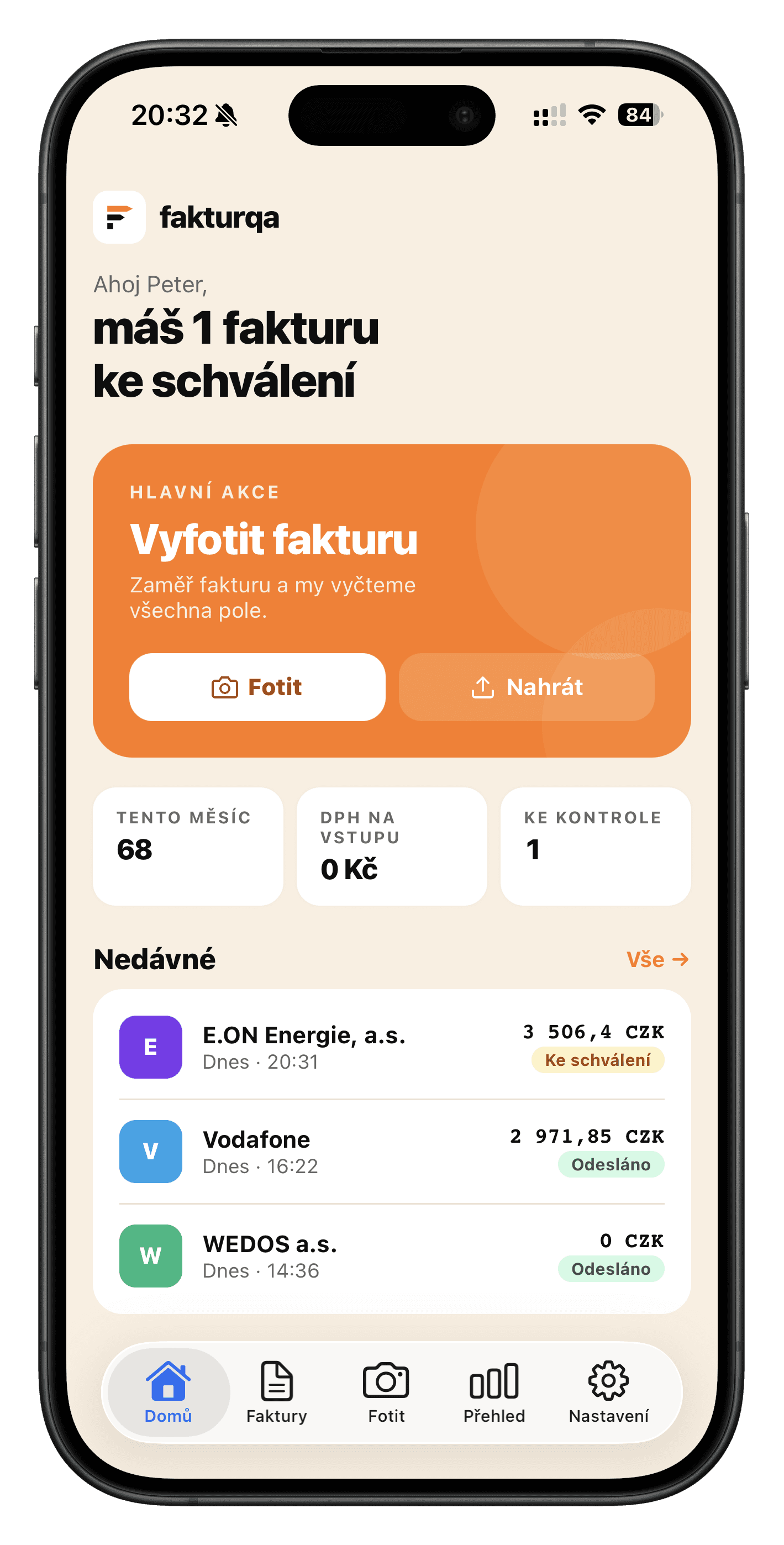
Snap an invoice, review the extracted data and send straight to accounting — the whole workflow on mobile. No need to open the web.
- Camera, review, edit and accounting sync — all inside the app
- Unified invoice list, stats and settings — same data as on the web
- Push notifications for OCR done, approvals and plan limits
Simple, transparent pricing
Pay only for invoices you actually process.
Included in every plan
Your data is safe
Accounting is sensitive data. We built with that in mind.
EU-hosted
Servers are in Europe. No data leaves the EU.
AES-256 encryption
Accounting API tokens are stored encrypted. Only your app can read them.
GDPR-friendly
Download or fully delete your data anytime — no support ticket required.
Daily backups
The database is backed up automatically. If something breaks, we can restore.
Frequently asked questions
Something else? Email info@fakturqa.com — we reply within 24 hours.
Is my accounting data safe?
What if the OCR makes a mistake?
Can I cancel anytime?
Does it work with handwritten or poorly scanned invoices?
How do I set up forwarding in Gmail or Seznam?
What happens if I exceed my plan limit?
Do you support Pohoda, Money S3 or Premier?
Start today. No card required.
Account creation takes 30 seconds. First 5 invoices per month free forever.
Create free account →No credit card · No commitment · Cancel anytime